Micro Frontends Architecture Guide: Compose SaaS UIs Without a Frontend Monolith
Learn micro frontends architecture for B2B SaaS — host/shell apps, independent deployable UI modules, Next.js App Router boundaries, and when micro frontends help vs hurt.
- Micro Frontends
- Next.js
- Architecture
- SaaS UI
- App Router
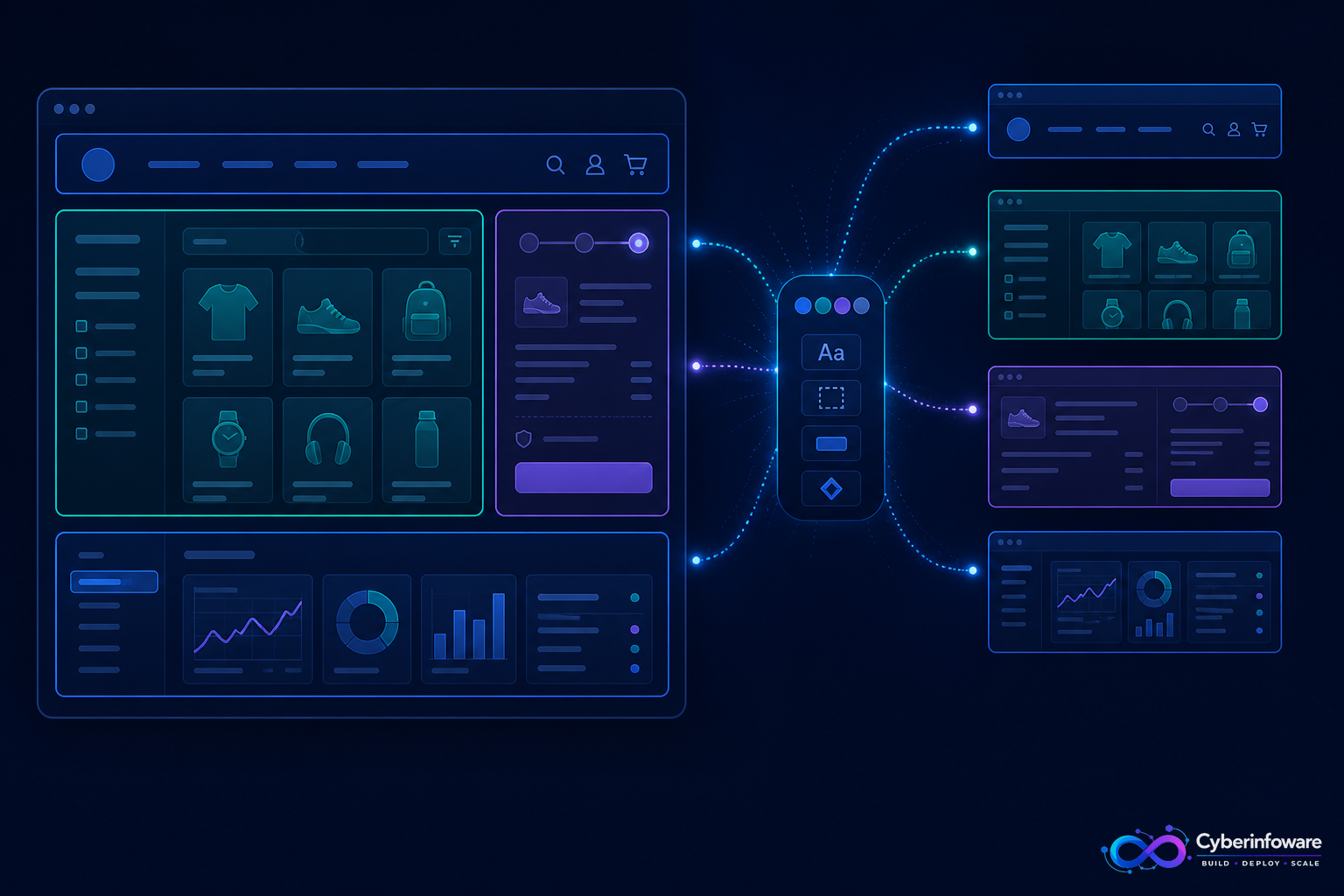
Micro frontends apply microservice thinking to the UI: independently built and deployable frontend modules composed into one product experience. Done well, platform, billing, and admin teams ship without blocking each other. Done poorly, you get duplicated design systems and a slower app.
This guide covers composition patterns, how Next.js App Router fits a host/shell model, and when a multi-tenant SaaS should stay with a modular monolith UI instead.
Core idea: shell + remotes
- Shell (host) — owns layout, auth session entry, routing frame, and shared navigation
- Remotes (micro frontends) — own vertical slices: onboarding, billing UI, admin ops, analytics
- Contracts — shared design tokens, auth context, and typed API clients — not copy-pasted CSS forever
Next.js App Router in a SaaS shell
The App Router organizes routes as a nested tree of layouts and pages. For SaaS, a root layout can own branding and auth gates, while route groups separate marketing, Lattice-style customer onboarding, and Admin console areas — even before you split deployables.
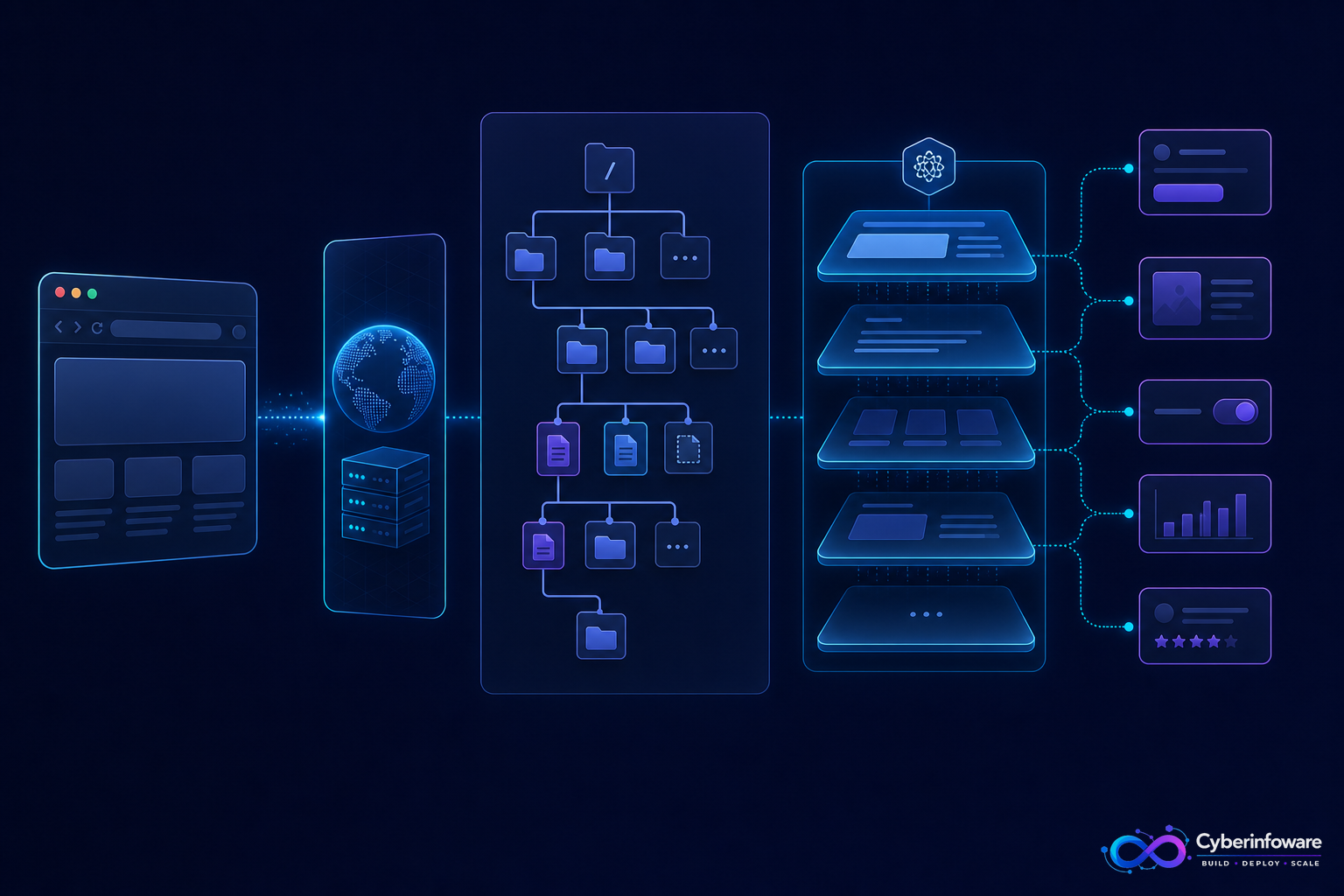
- Use server components for data-heavy admin tables where possible
- Keep client islands small (checkout widgets, live charts)
- Share Keycloak/OIDC session handling in the shell — remotes should not each invent login
- Align frontend boundaries with backend domains (tenant, billing) to avoid chatty cross-calls
When micro frontends help
- Multiple frontend teams need independent release trains
- Admin console and customer app evolve on different cadences
- You already have stable backend domain boundaries (and an API gateway)
When they hurt
- A single small team — split deploys add ceremony without speed
- No shared design system — visual inconsistency becomes churn
- Backend is still a tangled monolith — UI splits will not fix domain mess
Micro frontends amplify your backend architecture. Clear NestJS service boundaries make UI composition easier; fuzzy domains make every remote a negotiation.
Start with modular routes and a strong API. Split deployable frontends only when team topology demands it. See all packages on cyberinfoware.com or contact for architecture advice.
Explore Cyber Infoware packages
Production NestJS SaaS foundations with commercial licensing — pick the architecture that matches your team.
- Multi-Tenant SaaS Boilerplate
Best-seller NestJS multi-tenant SaaS boilerplate — one API, per-tenant databases, billing, and Keycloak SSO.
- Enterprise SaaS Microservices Boilerplate
Full multi-tenant SaaS control plane as NestJS microservices — service-per-DB, billing, audit, notifications.
- NestJS Microservice Starter Kit
Production NestJS microservices — API gateway, Keycloak SSO, RabbitMQ, Docker, Kubernetes, and Terraform.