Secrets Management for NestJS SaaS: Stop Baking Keys into Docker Images
A practical NestJS secrets guide for SaaS on Kubernetes — env vs Secrets Manager, rotation, zero secrets in images, and ConfigModule validation. Learn what to protect first and how Cyber Infoware kits ship a production-ready secret path.
- NestJS
- Secrets
- Security
- Kubernetes
- SaaS
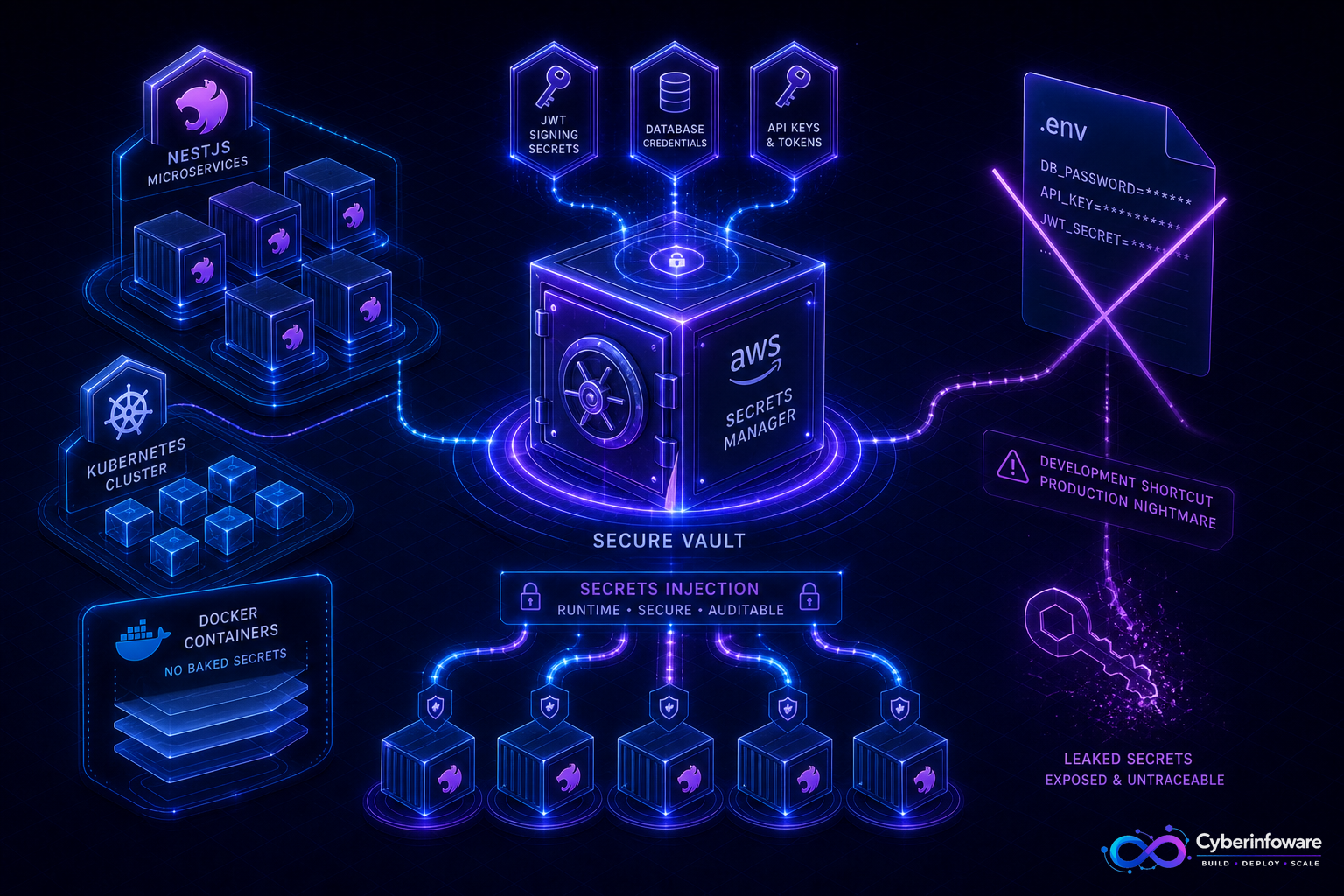
A Docker image with a JWT secret, database password, or Stripe key is a leak waiting for `docker history`. NestJS SaaS on Kubernetes needs secrets injected at runtime — from Kubernetes Secrets, AWS Secrets Manager, or SSM — with validation on boot and a rotation path that does not require rebuilding every service.
This guide covers what never belongs in git or images, how ConfigModule should fail closed on missing secrets, and how Cyber Infoware kits ship Docker/Kubernetes-ready NestJS so secret wiring is part of the deploy path — not a laptop `.env` habit.
Why .env-in-image patterns fail audits
- Images get copied to registries, laptops, and CI caches — secrets travel with them
- Git history retains committed keys long after you "fix" the file
- Rotation forces a full rebuild and redeploy instead of a secret update + pod restart
- Staging and production often share the same baked values by mistake
A practical NestJS secret layout
- Local only — `.env` / `.env.local` gitignored for developer machines
- Non-secret config — public URLs, feature defaults, log levels via ConfigMaps or plain env
- Secrets — DB URLs, JWT signing keys, OAuth client secrets, payment keys via Secrets Manager / K8s Secrets
- Validate on boot — ConfigModule (Zod/Joi/class-validator) refuses to start if required secrets are missing
- Rotate without rebuild — update the secret store, roll pods; images stay the same digest
What to protect first
- Database and Redis connection strings
- JWT / cookie signing keys and Keycloak client secrets
- Payment provider keys and webhook signing secrets
- SMTP / SMS credentials and third-party API tokens
- Per-tenant encryption keys if you store sensitive fields at rest
Production checklist
- Scan CI for accidental secret commits; block merges that add `.env` with credentials
- Use short-lived cloud credentials (IRSA / workload identity) where pods talk to AWS APIs
- Never log secret values — redact ConfigModule dumps and error payloads
- Separate staging and production secret namespaces completely
- Document who can read production secrets; prefer break-glass access over shared Slack pastes
- After rotation, verify old keys stop working and sessions re-issue cleanly
If your NestJS deploy requires rebuilding an image to change a database password, you do not have secrets management — you have a time bomb in the registry.
SaaS-specific tips
- Tenant webhook secrets belong in the vault/DB encrypted — not in a shared global env
- Billing keys need stricter IAM and fewer human readers than marketing API tokens
- Workers and the API must load the same secret versions or jobs will fail after rotation
- Pair secret injection with Terraform/IaC so environments stay reproducible without pasting keys
What "done" looks like
Images contain no credentials, pods start only when required secrets validate, rotation is a secret update plus rollout, and audits never find keys in git or layer history. Explore packages on cyberinfoware.com/products or contact us to match a kit to your security baseline.
Explore Cyber Infoware packages
Production NestJS SaaS foundations with commercial licensing — pick the architecture that matches your team.
- NestJS Microservice Starter Kit
Production NestJS microservices — API gateway, Keycloak SSO, RabbitMQ, Docker, Kubernetes, and Terraform.
- Enterprise SaaS Microservices Boilerplate
Full multi-tenant SaaS control plane as NestJS microservices — service-per-DB, billing, audit, notifications.
- Multi-Tenant SaaS Boilerplate
Best-seller NestJS multi-tenant SaaS boilerplate — one API, per-tenant databases, billing, and Keycloak SSO.